MacBook Battery Replacement: Standard vs Premium Battery. Which One Do You Need?
Two batteries fit your MacBook. Only one feels like the day you bought it.
When a MacBook battery wears out, you’ll usually see two choices at very different prices: Standard and Premium. Both fit, both charge, both switch on. The difference shows up months later. Here’s how to choose the right one for how long you’ll keep the Mac.
The short answer
- Keeping the MacBook? Choose Premium (or Service Pack where available). It brings back the battery life you had when the Mac was new.
- Selling soon, or just need it working? Standard does the job at the lowest cost.
- Check first: replace when health is under 80% or macOS says “Service Recommended”.
- Never judge by cycle count alone. Read cycle count and health together.
Standard or Premium: what you’re choosing
- Lowest-cost replacement
- Fine for normal daily use
- Battery life typically shorter than the original when new
- Best when you plan to sell the Mac or don’t want to spend on it
- Higher-quality cells, built for full original-style battery life
- Holds its capacity better over the months and years
- The battery we fit when you’re keeping the Mac
- Service Pack: our top grade, for models where it’s available
Ask yourself one question: “Will I still be using this MacBook in two years?” If yes, the Premium battery costs a few thousand rupees more once, and you get back the all-day battery your Mac had when new. If you’re selling in a few months, a Standard battery makes it a healthy, sellable Mac without spending more than you need to.
Check your battery before you buy
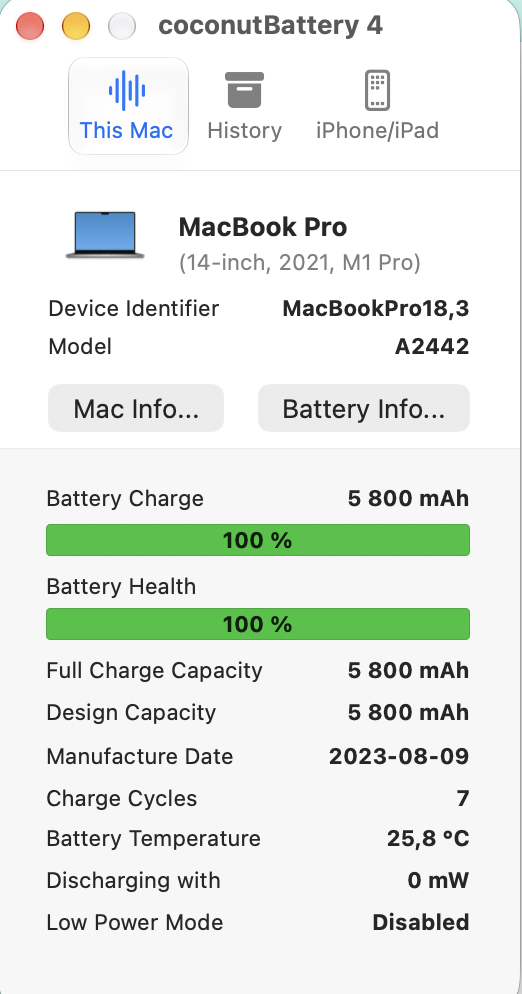
On a MacBook, open System Settings › Battery and click the ⓘ next to Battery Health to see Maximum Capacity. For the cycle count, hold Option, click the Apple menu › System Information › Power.
When buying a used MacBook, low cycles with low health (for example 150 cycles and 81%) don’t add up. Some sellers reset a worn battery’s records so it looks almost new. We never sell boosted batteries. A genuinely new replacement battery, though, should show a fresh cycle count and high health. That’s normal.
Prices for popular models
Standard and Premium prices on our shelf today. Service Pack is listed where we carry it.
| MacBook | Standard | Premium | Battery page |
|---|---|---|---|
| MacBook Pro 13" A1989 (2018–2019) | ₹4,390 | ₹8,090 | A1964 battery |
| MacBook Pro 13" A2251 (2020) | ₹4,650 | ₹8,090 | A1964 battery |
| MacBook Pro 13" A2159, A2289, A2338 M1 | ₹5,950 | ₹7,950 | A2171 battery |
| MacBook Pro 15" A1990 (2018–2019) | ₹5,390 | ₹7,490 | A1953 battery |
| MacBook Pro 16" A2485 M1 Pro/Max (2021) | ₹6,150 | ₹9,390 | A2527 battery |
| MacBook Pro 13" A1708 (2016–2017) | ₹4,250 | ₹5,690 | A1713 battery |
Stock changes daily. Each battery page shows today’s stock and the warranty for each grade.
Questions we get asked
Will a Premium battery show 100% health?
A new battery should show high health and a low cycle count in macOS, and then wear normally from there. That’s what you’re paying for: starting again from fresh.
Is a Standard battery unsafe?
No. It’s a working, tested replacement. It’s simply built to a lower price, so expect shorter battery life than the original had when new.
My Mac is slow. Will a new battery help?
If the old battery is worn or flagged “Service Recommended”, macOS can limit performance to avoid shutdowns. A healthy battery removes that limit. If the battery is fine, the slowness is something else, so ask us first.
Can I replace a MacBook battery myself?
On most models the battery is glued in, so we recommend an experienced technician. Message Aparna about fitting options in your city.
Not sure which battery fits your Mac?
Send Aparna your model number (on the bottom case) and a screenshot of Battery Health. We’ll confirm the right battery and tell you honestly whether Standard or Premium suits how long you’ll keep it.