Buying a Used MacBook in India: The Hidden Faults to Check (MDM, iCloud, Parts History, Boosted Battery, Screen Damage)
The faults a quick look will not show you.
Our 15-minute checklist covers the basics. This guide goes deeper on the traps that cost used buyers the most: a managed Mac, a locked iCloud account, swapped parts, a “boosted” battery, a fake charger, a patched or damaged screen, and a missing True Tone.
The short answer
- Walk away from: a Mac that asks for someone else’s Apple Account, or one managed by an organisation.
- On Apple silicon with macOS Tahoe 26 or later, open System Settings, General, About and look for Parts & Service. It appears only when the Mac has been repaired.
- A “boosted” battery is a battery sold or programmed to look healthier than it is. Check the cycle count against the Mac’s age, not a percentage from an app.
- Test the screen yourself with plain white, black, red, green and blue full-screen images. A clean diagnostic result does not replace this.
- True Tone should appear in System Settings, Displays on the Macs that have it. If it is missing, ask whether the display was replaced.
Apple’s statements come from Apple Support pages we opened on 31 Oct 2026: Parts and Service History, Repair Assistant, power adapters, battery health, the cycle count page and Apple’s platform deployment guide. Where Apple’s pages are silent we say so and label the advice as ours. We have no customer cases, photos or bench tests on this page yet.
What are the hidden faults, and how do you check each one?
| Fault | How to check | Walk away or negotiate if |
|---|---|---|
| MDM (device management) | Watch the first-start screens: a Remote Management pane can appear and, per Apple’s deployment guide, cannot be skipped on a Mac managed through Apple School Manager or Apple Business Manager. On recent macOS, System Settings, General, Device Management shows whether the Mac is “supervised and managed by” an organisation. | The Mac shows any organisation name or management profile. The seller cannot remove it; Apple says the organisation controls that. |
| iCloud and Activation Lock | Start the Mac from erased. If it asks for a previous owner’s Apple Account, it is locked. See our Activation Lock guide. | The seller cannot sign out or remove the Mac from their account in front of you. |
| Parts replacement | Apple silicon Mac on macOS Tahoe 26 or later: System Settings, General, About, Parts & Service. Each part shows Genuine, Unknown, Unverified or Used. On other Macs, ask directly and look for screws, glue marks and mismatched parts. | Unknown (Apple says it may affect trade-in value), Unverified (Apple says a logic board was replaced) or Used (installed in another Mac). |
| Diagnostics | Run Apple Diagnostics: Command-D from the start-up options on Apple silicon, D at start-up on Intel. Note the reference code. | A code is returned. Our judgement: a clean result does not prove the screen looks right, so still test it yourself. |
| Boosted battery | Hold Option, Apple menu, System Information, Power. Read the cycle count and Condition. Compare the count with the Mac’s age and with Apple’s per-model maximum. | A very low cycle count on an old Mac, a “health” figure shown only in a third-party app, fast drain with a Normal condition, or a swollen case. |
| Original adapter and cable | Read the wattage on the adapter label, or open System Information, Power, AC Charger Information with Option held. Compare with Apple’s recommended wattage for the model. | Wrong wattage, a loose or warm adapter, a cable with a damaged tip, or charging that stops and starts. |
| Screen patches, lines and internal damage | Show plain white, black, red, green and blue full-screen at full brightness, in a dim room, and tilt the lid through its range. | Any line, band, cloudy or yellow patch, dark spot or pressure mark, or a dark band that appears at wide lid angles. |
| True Tone | System Settings, Displays, and look for True Tone. | The option is missing on a Mac whose Apple specs list True Tone. |
How do you spot a boosted battery?
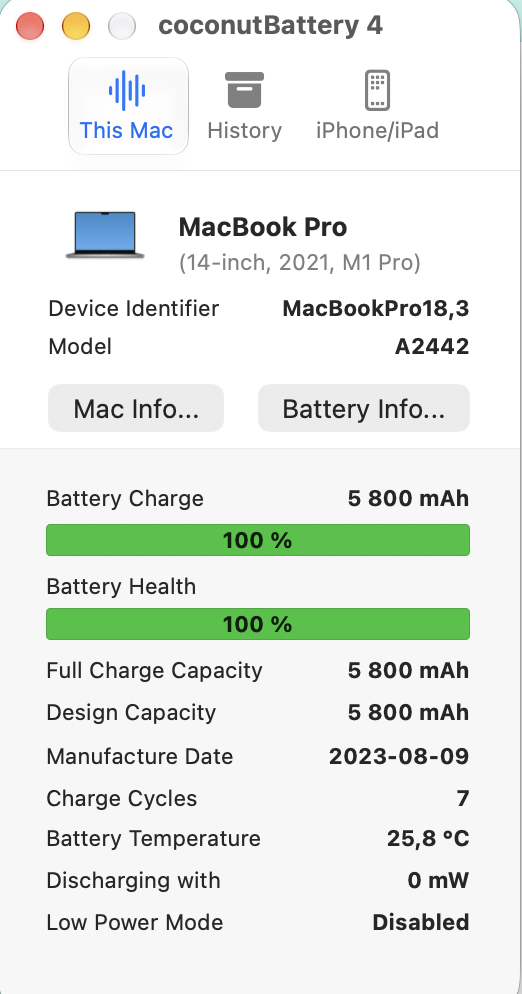
Apple does not define a “boosted” battery. We use the word for a battery sold or programmed to look healthier than it really is, often with a percentage from a third-party app. Apple’s Service Recommended page says third-party apps that report battery health may not be accurate. So rely on what macOS shows: the cycle count under System Information, Power, and the Condition under Battery Health. Apple says a battery is designed to keep up to 80% of its original charge at its maximum cycle count, and its cycle count page lists that maximum for each model. Then ask three questions. Is the cycle count believable for the Mac’s age? Does the battery last the way the number suggests? Is the case flat, with no lifted trackpad? These are our rules, not Apple statements, and we have not bench-tested a boosted battery.
Which adapter belongs to your Mac?
Apple’s page on power adapters recommends these for the Macs in this series. Any adapter that supports USB Power Delivery works for USB-C Macs, but Apple advises one at or above the recommended wattage.
| Mac | Apple’s recommended adapter |
|---|---|
| 13-inch MacBook Pro, 2016 or later | 61W, with a USB-C charge cable |
| 15-inch MacBook Pro, 2016 or later | 87W, with a USB-C charge cable |
| 16-inch MacBook Pro, 2019 | 96W, with a USB-C charge cable |
| 14-inch MacBook Pro, 2021 or later | 67W, 70W or 96W, with a USB-C to MagSafe 3 cable |
| 16-inch MacBook Pro, 2021 or later | 140W, with a USB-C to MagSafe 3 cable |
| MacBook Air, 2018 to 2021 | 30W, or the 40W dynamic adapter, with a USB-C charge cable |
Apple’s Support home page also warns that some counterfeit and third-party adapters and batteries may not be designed properly and can cause safety issues, and recommends an Apple adapter. Apple’s page does not cover the older MagSafe models (A1466, A1502, A1398), so read the label for the wattage and be cautious with any adapter that runs hot.
How do you test a screen properly?
- Wipe the screen, set brightness to maximum and sit in a dim room.
- Open full-screen images in turn: white, black, red, green and blue. White shows patches and tints, black shows backlight bleed and dark spots, and the colours show lines and dead pixels.
- Drop brightness to 25% and repeat. Some faults only show at low brightness.
- Tilt the lid slowly through its range. A dark band at the bottom that appears at a wide angle is a known cable fault on some Pros; our Flexgate guide explains it.
- Look for a replaced panel: a slightly different tint to the bezel, a gap at the edge, or True Tone missing.
If you find a problem, our repair or replace guide shows how to price it against another Mac.
Why does True Tone matter on a used Mac?
Apple’s Displays settings list True Tone as an option that adjusts colours to the room light. Apple’s tech specs list True Tone for the 2020 13-inch Pro, the 15-inch and 16-inch Pros and the 2021 14-inch and 16-inch Pros; for the 2018 and 2019 13-inch Pros, confirm it on Apple’s tech specs page for the exact model. The MacBook Air A1466 and the 2013 to 2015 Retina Pros do not have it. Repair documentation for these models warns that True Tone may not work after some display swaps. So if the toggle is missing on a Mac that should have it, treat it as a sign the display may have been replaced and ask. That inference is ours.
Mistakes used buyers make
- Paying before seeing a first-start screen. A locked or managed Mac shows it immediately.
- Trusting a battery percentage in an app. Read System Information instead.
- Testing the screen on a busy desktop. Use plain full-screen colours.
- Ignoring the charger. The wrong wattage can charge slowly or unreliably, as Apple notes.
- Skipping paperwork. Get an invoice with the serial number and the warranty terms in writing.
Questions we get asked
What is MDM and why does it matter?
MDM is device management used by organisations to control Macs. A managed Mac can carry restrictions, and Apple says the organisation decides whether a user can remove automated enrolment. If a used Mac shows an organisation name, do not buy it unless the organisation releases it in writing.
Is a Mac with replaced parts bad?
Not always. A genuine repair is normal. Apple’s Parts & Service page says an Unknown part may affect trade-in value, so use it to negotiate, and walk away from a logic board marked Unverified if you need features such as Apple Pay.
Can Apple Diagnostics tell me the battery is good?
It reports hardware faults and gives a reference code. Read the cycle count and Condition for the battery, and test the screen yourself.
What if the seller refuses these checks?
Treat it as a red flag. Each check takes a few minutes and needs no personal data.
Want these screens for a specific Mac?
Tell Aparna which Mac you are looking at. Ask for the About This Mac, battery and, on supported Macs, Parts & Service screens of that exact unit. In Chennai, Aparna also gives free guidance before you buy.
Checked 31 Oct 2026. Apple updates its pages, so recheck the wording before relying on a step.
- About Mac parts and service history, Apple Support
- Use Repair Assistant to finish a Mac repair, Apple Support
- Use a power adapter with your Mac, Apple Support
- About the battery Service Recommended message, Apple Support
- Determine battery cycle count for Mac laptops, Apple Support
- Use Apple Diagnostics to test your Mac, Apple Support
- Displays settings on Mac, Apple Support
- About device supervision, Apple Platform Deployment
- Apple Support: beware of counterfeit parts