MacBook Pro 13-inch Retina (A1502) Battery Replacement: Find Your Year, Pick the Right Battery, Then the Steps
Your A1502 battery depends on the year of your Mac. Find the year first.
The 13-inch MacBook Pro Retina A1502 was sold in 2013, 2014 and 2015, and it used two different batteries. Order the wrong one and it will not fit. This guide shows how to find your year, which battery goes with it, and the steps to fit it. The battery is glued in, so it is a hard job.
The short answer
- Late 2013 and Mid 2014 Macs use the A1493 battery. Early 2015 Macs use the A1582.
- Find your year in seconds: Apple menu, then About This Mac. It names the year.
- Difficulty: hard. The battery is glued in, both speakers come out, and you need adhesive remover or a heated iOpener. The logic board stays in.
- Never DIY a swollen battery.
Should you do this yourself?
| You are... | Better choice | Why |
|---|---|---|
| Comfortable with tiny screws and patient | A hard job: be honest with yourself | The battery is glued in, both speakers come out, and a trackpad cable lies near the cells. |
| Never opened a laptop, or unsure about tiny cables | Have a technician fit it | A torn trackpad cable is the most common DIY mistake on this Mac. |
| Seeing a swollen battery or a lifted trackpad | Stop and get help | Do not open it yourself. See the warning on this page. |
| Battery is fine but the Mac still misbehaves | Fix the cause first | Check the charger, cable and the SMC or restart steps before buying a battery. |
How we put this page together
The steps and screw sizes come from our own battery listing and published repair procedures for this model. Cycle limits and the 80% figure come from Apple. Owner experience comes from public forum threads linked below, which we paraphrase rather than copy. Prices are from our own listings.
What we have not done yet: photographed this repair in our own workshop. The drawings on this page are our illustrations, not photos. We are adding real photos and will update the page.
Step 1: find your year
Open the Apple menu and choose About This Mac. It shows a name such as “MacBook Pro (Retina, 13-inch, Early 2015)”. The bottom case says A1502 on all three years, so the year is what tells them apart.
Step 2: match your year to the battery
| Year | Apple’s name | Model identifier | EMC | Apple order numbers | Battery that fits |
|---|---|---|---|---|---|
| Late 2013 | MacBook Pro (Retina, 13-inch, Late 2013) | MacBookPro11,1 | 2678 | ME864xx/A, ME865xx/A, ME866xx/A | A1493 |
| Mid 2014 | MacBook Pro (Retina, 13-inch, Mid 2014) | MacBookPro11,1 | 2875 | MGX72xx/A, MGX82xx/A, MGX92xx/A | A1493 |
| Early 2015 | MacBook Pro (Retina, 13-inch, Early 2015) | MacBookPro12,1 | 2835 | MF839xx/A, MF840xx/A, MF841xx/A, MF843xx/A | A1582 |

This Mac is often listed online as MacBook Pro 13 inch Retina A1502, with the year in the name. For the model identifier, hold Option, click the Apple menu and open System Information.
Is it really the battery?
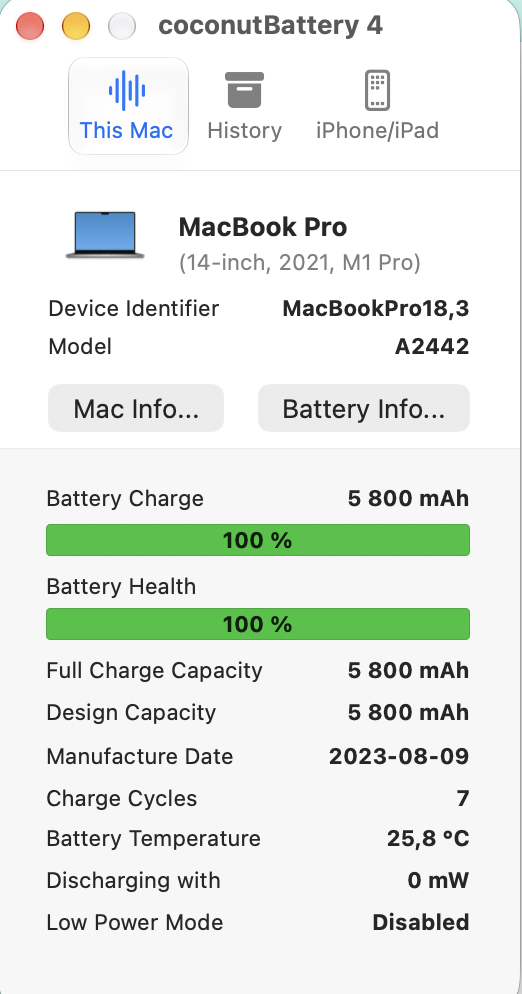
Check before you buy. In System Settings, open Battery, then Battery Health. Hold Option, click the Apple menu and open System Information, Power, to see the cycle count. Apple lists a maximum of 1,000 cycles for the MacBook Pro (Retina, 13-inch, Late 2013, Mid 2014 and Early 2015), and designs the battery to keep up to 80% of its original capacity at that point. Apple explains the count on its cycle count page and the “Service Recommended” status on its battery service page. Apple says you can keep using the Mac with that status, and that AppleCare+ replaces a battery below 80% at no extra cost.
- Signs it is the battery: Service Recommended, a cycle count near 1,000, battery life that has dropped sharply, or shutdowns while unplugged.
- Signs it is not: the Mac fails only with one cable or charger. Try another first.
Which battery to buy
Our listing for the A1502 battery has options by year: 2013 to 2014, and 2015. Choose the one that matches the year you found. It shows Standard and Premium grades, and a 9-month replacement warranty. Prices run from ₹3,690 for a Standard 2013 to 2014 battery up to ₹5,150 for a Premium 2015 battery, and stock changes, so check the page. Our Standard vs Premium guide explains the grades. Some replacement kits come with adhesive already on the battery, so ask us whether ours does.
What it costs, and your other options
| Option | What it costs | Worth knowing |
|---|---|---|
| Do it yourself with our battery | Standard from ₹3,690, Premium up to ₹5,150, depending on the year | Our listing gives a 9-month replacement warranty, and stock changes, so check the page. |
| A technician fits it | Ask for the battery brand, the warranty and the labour fee in writing | Ask whether the trackpad cable is checked afterwards. |
| Apple | Free with AppleCare+ below 80% on supported models. Otherwise a fee | These Macs are old, so Apple may limit service. Check the estimator. |
| Replace the Mac | Our pre-owned M1 Air starts at ₹49,720 | Your A1502 is Intel and cannot run macOS 27. |
A new battery costs about 7% to 10% of the price of a pre-owned M1 Air. If the Mac still does what you need, the battery is the cheaper fix.
Before you open anything
- Back up your Mac, and check the cycle count and condition under System Information, Power, to confirm a new battery is needed.
- Let the battery run down. Turn the Mac on and let it discharge fully. A charged lithium battery can start a dangerous fire if it is punctured.
- Power off and unplug, and work in a ventilated room away from flames. The adhesive remover is flammable and can damage plastics, including the speaker cases.
A lifted trackpad, a bulging case or a puffy battery is a warning sign. Do not open the Mac yourself. Ask a technician.
What you need
- P5 pentalobe and T5 Torx screwdrivers.
- A spudger, tweezers and plastic cards. Use plastic only near the battery.
- Adhesive remover, or an iOpener or hair dryer for gentle heat. Both methods are used.
- Aluminium foil, scissors, gloves and safety glasses.
- A tray or paper for screws, and a foam block or book to prop the Mac.
Step by step
This summarises the Late 2013 and Early 2015 procedures, which we read. We have not checked the Mid 2014 steps separately, so use a full photo guide beside this page if yours is Mid 2014.
Remove the lower case
Power off and unplug. Remove ten P5 screws: two 2.3 mm and eight 3.0 mm. Wedge your fingers between the upper and lower case and pull the lower case away. Two plastic clips near its centre hold it, so press the centre down to reattach them when you rebuild.


Unplug the battery
If a plastic cover sits over the battery contact board, remove it. Use the flat end of a spudger to lift the battery connector straight up out of its socket on the logic board. Lift only the connector, never the socket, or you risk permanent damage. Bend the connector out of the way so it cannot touch the socket.

Take out both speakers
Remove the two 2.1 mm T5 screws and the bracket on the I/O board cable, and pop that connector up. Lift the right speaker cable out of its socket and peel it off the case, remove three T5 screws (5.7 mm, 6.5 mm and 3.8 mm), and lift the speaker out. Do the same on the left: lift its cable, remove three T5 screws (5.7 mm, 6.5 mm and 3.8 mm), and slide the speaker out around the battery without snagging its cable.

Free the trackpad cable and battery board
Pop the trackpad connector up and lift its cable off the battery, warming it if it resists. Open the small locking tab on the other end and pull the cable out. Then remove the battery board screw or screws. On the Early 2015 model that is a single 3.7 mm T5 screw. On the Late 2013 model, your unit may have only one such screw securing the battery circuit board.

Protect the display, then loosen the six cells
Lay aluminium foil between the display and keyboard. If you use adhesive remover, wear eye protection, loosen the cap before cutting the tip, and put a few drops under the right-most cell. Wait 2 to 3 minutes, then slide a plastic card under it and pry slowly. Do the adjacent cell the same way, leaving the card in place. Repeat for the two left cells, then the two centre cells, using very little remover there because the trackpad lies beneath. If you use a hot iOpener instead, heat each section for about a minute and re-heat it if you meet resistance.

Lift the battery out and clean up
Lift the battery out. Remove all the old adhesive from the case, pulling each strip out with your fingers or softening it with a little remover and scraping with a plastic tool. Mop up any remover and let the Mac dry.

Fit the new battery and rebuild
Test the fit of the new battery before you peel the film off its adhesive. Remove the film from the adhesive and press each cell firmly into place. Rebuild in reverse: the battery board screw, trackpad cable, speakers, I/O board cable and bracket, the battery connector, then the lower case.

Calibrate the new battery
Calibrating a new battery helps the Mac report its charge correctly. If the Mac behaves oddly, you may need to reset the SMC. Apple’s steps for a MacBook without the T2 chip are: shut down, hold the left Shift, left Control and left Option keys, press and hold the power button as well, keep all four held for 10 seconds, release, then press the power button.


Mistakes people make
- Ordering the wrong battery. Late 2013 and Mid 2014 use the A1493 and Early 2015 uses the A1582.
- Pulling the trackpad cable off the battery cold. Warm it and peel it slowly.
- Letting remover reach the speakers. It damages the plastic cases.
- Using metal tools near the cells. Use plastic only.
- Forcing a cell. Wait and try again.
- Skipping the foil over the display side.
- Rebuilding without checking the lower-case clips. Press the centre down.
What owners say
These are paraphrased from public threads. Read them for the exact words.
An owner of a 2015 13-inch MacBook Pro (an A1502) pulled out a cable while replacing the battery, and the keyboard and trackpad stopped working. Replies said it was the trackpad cable, that it is easy to damage and not an expensive part, and that the owner should try reconnecting it very carefully, flipping up its tiny lock. One reply said soldering a ribbon cable had never worked for them.
What to take from it: go slowly near the trackpad cable. Read the thread.
An owner of a 2015 MacBook Pro said Apple quoted £250 to £600 for a battery swap and they did it themselves for £58. They found one published guide had 46 steps and judged that many tape-removal steps were unnecessary. They said it was too early to judge the new battery’s life.
What to take from it: one owner’s shortcut is not a recommendation. Follow the full steps for your year. Read the thread.
When not to do it yourself
- The battery is swollen or the case is lifting.
- You have not opened a MacBook before. The job has small screws, delicate cables and a flammable liquid.
- You are not sure of your year, so you are not sure which battery you need.
- A cell will not come free. Wait and try again. Do not force it.
What to do with the old battery
Do not put it in the household bin. In India, laptop batteries fall under the Battery Waste Management Rules, 2022, which make producers responsible for collecting and recycling them. Ask the seller of your new battery whether they take the old one back, or hand it to an authorised collection point. See the Tamil Nadu Pollution Control Board battery waste page. If it was swollen, keep it away from heat and from anything that could puncture it until you hand it in.
Questions we get asked
How do I know if I have the 2013, 2014 or 2015 model?
Open the Apple menu and choose About This Mac. It names the year. The model number A1502 is the same on all three.
Can I use an A1493 battery in an Early 2015 Mac?
No. Early 2015 uses the A1582, and Late 2013 and Mid 2014 use the A1493. Order the one for your year.
Is this the same as the A1425 or A1398?
No. Those are different MacBook Pros with different batteries. Check the model number on your bottom case.
Do I need adhesive remover?
There are two ways: liquid adhesive remover, or gentle heat from an iOpener or hair dryer to soften the adhesive. Both need patience and plastic tools only.
How many charge cycles does the battery last?
Apple lists a maximum of 1,000 cycles for the 13-inch MacBook Pro Retina models listed here. It designs the battery to keep up to 80% of its original capacity at that point.
Will Apple replace it for free?
Apple says a battery replacement is at no additional cost with AppleCare+ when the battery holds less than 80% of its original capacity. Otherwise there is a fee, set by Apple after inspection. Check Apple’s estimator for your exact model.
Can I keep using the Mac if it says Service Recommended?
Apple says yes. The status means the battery holds less charge than when new. Service it when the shorter battery life affects you.
Not sure of your year, or want it fitted?
Send Aparna a screenshot of About This Mac and the model number from the bottom case. We will confirm whether you need the A1493 or the A1582, and tell you honestly whether this is a job to do yourself.
Our drawings are simplified, not photos, and we have not done this repair ourselves for this guide. A punctured lithium battery can be dangerous. Checked 30 October 2026.
- Identify your MacBook Pro model (Apple Support)
- Reset the SMC of your Mac (Apple Support)
- A1502 battery listing (Sparesonly.in)
- Determine battery cycle count for Mac laptops (Apple Support)
- If you see battery “Service Recommended” on your Mac laptop (Apple Support)
- I ripped out a cable when replacing battery on my Macbook Pro (MacRumors Forums, October 2020)
- In pictures: successful 2015 MBP battery replacement (MacRumors Forums, December 2024)
- Battery waste (Tamil Nadu Pollution Control Board)