Ollama on a Mac: Run AI Offline for Daily Work, and How It Compares to Claude, Gemini and ChatGPT
Run an AI model on your own Mac. No cloud, no account, no subscription.
Ollama is a free tool that downloads open AI models and runs them on your computer. Once a model is downloaded, it works without internet. It is good enough for a lot of daily work: proofreading, checking drafts, rewriting emails and writing stories. Here is how to set it up, what to use it for, and how it compares with Claude, Gemini and ChatGPT.
The short answer
- Install: download the app from ollama.com, or paste one command in Terminal.
- Run: ollama run gemma4 downloads Google’s Gemma 4 and starts a chat.
- Use it for: proofreading, checking drafts, emails, summaries, stories and brainstorming, with your text staying on your Mac.
- Use a cloud AI for: live information, hard reasoning problems and anything where a bigger model matters.
- Cost: running models on your own Mac is free. Ollama’s separate cloud models need usage credits or a paid plan.
Step 1: install Ollama
The easiest way is to download the Mac app from ollama.com/download and open it. If you prefer Terminal, open it (Command and Space, type Terminal) and paste this command:
curl -fsSL https://ollama.com/install.sh | sh
The first time you run ollama, it shows setup prompts. You can sign in to use cloud models, or simply choose a local model. You don’t need to sign in to run models on your Mac.
Step 2: run your first model
In Terminal, type the line below. The first run downloads the model, which is several gigabytes, so use Wi-Fi and make sure you have free space. When it finishes you can type to chat.
ollama run gemma4
Type /bye to leave the chat. Next time, the same command starts straight away because the model is already on your Mac.
Step 3: pick a size for your Mac’s memory
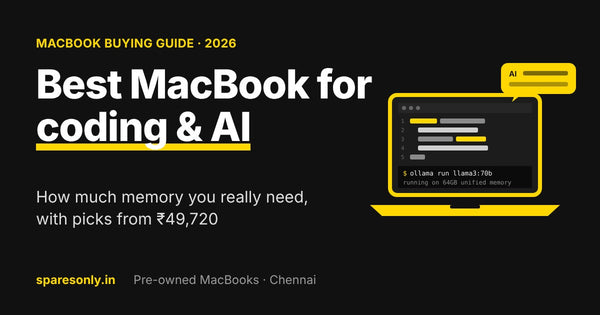
Gemma 4 comes in several sizes. Ollama lists how much each uses. The suggestions below are ours: leave several gigabytes free for macOS and your other apps. For the full memory rule of thumb, see our coding and AI MacBook guide.
| Your Mac’s memory | Try this command | Ollama’s size and usage |
|---|---|---|
| 8GB | ollama run gemma4:e2b | 4.6GB to 7.5GB |
| 16GB | ollama run gemma4 (the e4b size) or gemma4:12b | 6.6GB to 9.5GB, or 7.7GB to 8.0GB |
| 32GB | ollama run gemma4:26b | 16GB to 19GB |
| 48GB or more | ollama run gemma4:31b | 19GB to 20GB |

The commands you will use
ollama list        # models on your Mac
ollama pull NAME   # download a model without chatting
ollama rm NAME     # delete a model to free space
ollama ps          # see what is running
Models are large. If your disk is filling up, ollama rm is how you clear one.
Can a local model really do daily work?
For a lot of everyday writing, yes. Small models like the ones on a laptop are built for jobs such as rewriting, summarising and drafting. They are not the best at hard reasoning, and they don’t know today’s news. We haven’t tested Gemma 4 head to head against Claude, Gemini or ChatGPT, so try it on your own text before you rely on it. The prompts below are a good place to start.

Seven daily jobs, with prompts to copy
Paste the prompt, then paste your text under it. Change the numbers and details to suit you.
- Edit a document.Fix mistakes without changing your words.
Proofread the text below. Fix spelling, grammar and punctuation only. Do not change my wording or meaning. Show the corrected text, then list what you changed.
- Check a draft.A second pair of eyes before you send or post.
Read my draft below. Tell me: 1) what is unclear, 2) what is missing, 3) the three sentences I should rewrite. Be specific and brief.
- Check your content.Look for repeats, vague claims and a changing tone. It cannot check facts, so you still do that.
Check this product description for repeated words, unclear claims and an inconsistent tone. Do not add any new facts.
- Rewrite an email.Shorter, politer, clearer.
Rewrite this email to be polite, clear and under 100 words. Keep every date and number exactly as it is.
- Write a story or a caption.Bedtime stories, captions, product descriptions and short scripts.
Write a 300-word story for children aged 6 about a robot who learns to whistle. Use simple words and a gentle ending.
- Summarise notes.Meeting notes, a long message or an article you paste in.
Summarise the notes below in five bullet points, then list the action items with the person responsible.
- Ask about a picture.Gemma 4 accepts images as well as text, according to Ollama’s model page, so you can ask about a screenshot or a photo in a chat window that supports images.
Describe this screenshot and list any text you can read in it.
More jobs that suit it: brainstorming names and slogans, turning rough notes into a to-do list, explaining a technical term in plain words, and practising for an interview. For translation, use it for a first draft and have someone who speaks the language check it.
Local or cloud? How it compares with Claude, Gemini and ChatGPT
These are the free plans and first paid steps shown on each service’s own plans page on 30 October 2026. They change often, so check the page before you pay.
| Ollama (Gemma 4) | Claude | Gemini | ChatGPT | |
|---|---|---|---|---|
| Where it runs | Your Mac | Anthropic’s servers | Google’s servers | OpenAI’s servers |
| Needs internet | Only to download the model | Yes | Yes | Yes |
| Free plan | Free to run on your Mac | Free, $0. Chat on web, desktop and mobile, web search, file creation and memory | Free, ₹0 with a Google Account. Flash-Lite model, image generation, Deep Research | Free, ₹0. Unlimited text chats with GPT-6, limited uploads and image creation |
| First paid step | None for local models | Pro, $17 a month on annual billing or $20 monthly | Google AI Plus ₹399 a month. AI Pro ₹1,950 | Go ₹399 a month. Plus ₹1,999 |
| Where your text goes | Stays on your Mac | Sent to Anthropic. Its plans page lists model training as opt-out | Sent to Google | Sent to OpenAI |
| How much text at once | 128K tokens (small sizes), 256K (medium and large) | Up to 1M tokens, varies by model | Not stated on the plans page | Free: 27K tokens, about 12 pages of input |
Where cloud AI still wins
- Hard problems.Bigger models score higher. In the Gemma 4 results on Ollama’s page, the 31B size scores 85.2% on the MMLU Pro test and the small E4B size scores 69.4%. On the AIME 2026 maths test the gap is 89.2% against 42.5%.
- Live information.A local model only knows what it learned in training. Claude’s free plan lists web search, and ChatGPT’s plans page lists search as a feature, so use a cloud tool for prices, news and anything that changed this week.
- Big files and speed.Free cloud plans limit how much you can upload, but they run on powerful servers. A local model runs at the speed of your Mac, and it is slow if memory is tight.
How we would use them together
Use the local model for private and routine work: client documents, drafts, emails, rewrites and first versions of stories. Use a cloud tool when you need current facts, a stronger answer or a long file handled quickly. And whichever tool you use, you still check the facts and numbers yourself before you send or publish.
What it’s good for, and what it isn’t
- Privacy.Your questions and files stay on your Mac. Good for client documents.
- Offline use.After the download, it works on a train or on a bad connection.
- No per-use cost.You pay for the Mac, not for each question.
- Smaller than cloud AI.A model that fits on a laptop is less capable than the large models in the cloud. Expect good everyday answers, not the best reasoning.
- Speed depends on your Mac.More memory and a faster chip mean faster answers. A small model on an 8GB Mac will be slow with other apps open.
Questions we get asked
Is Ollama free?
Running models on your own Mac is free. Ollama also offers cloud models, which run on its servers and need usage credits or a paid plan.
Can a local model replace Claude, Gemini or ChatGPT?
For routine writing and editing, it can cover a lot. It cannot match the largest cloud models on hard problems, and it has no live information. Many people use both.
Is it safe to use with client documents?
With a local model, your text stays on your Mac, which is the main reason to use one. Keep your Mac updated and secured as you would for any client files.
Does it work without internet?
Yes, once a model is downloaded. The first download needs internet.
Can I use Ollama with Claude Code?
Yes. Ollama’s documentation shows ollama launch claude, which starts Claude Code with the model you choose.
Which Mac do I need?
Any Apple-silicon Mac can try the small sizes. More memory lets you run bigger, smarter models. Our coding and AI guide explains how much memory you need.
Choosing a Mac for local AI?
Tell Aparna which models you want to run and your budget. She’ll suggest the right memory and chip from today’s stock.
Install commands, model names, sizes and plan details checked 28–30 October 2026 and can change. We have not run side-by-side quality tests of these tools.